The OS layer
Gemini Notebook was missing.
Gemini Notebook is brilliant at thinking — everything around it is friction. Notebook OS removes it: one-click YouTube and academic sources, voice notes straight into your notebook, Skills that remember how you work, Studio recipes for decks, reports and quizzes, and watermark-free presenting.
Free · No credit card required · Works with your existing Gemini Notebook account
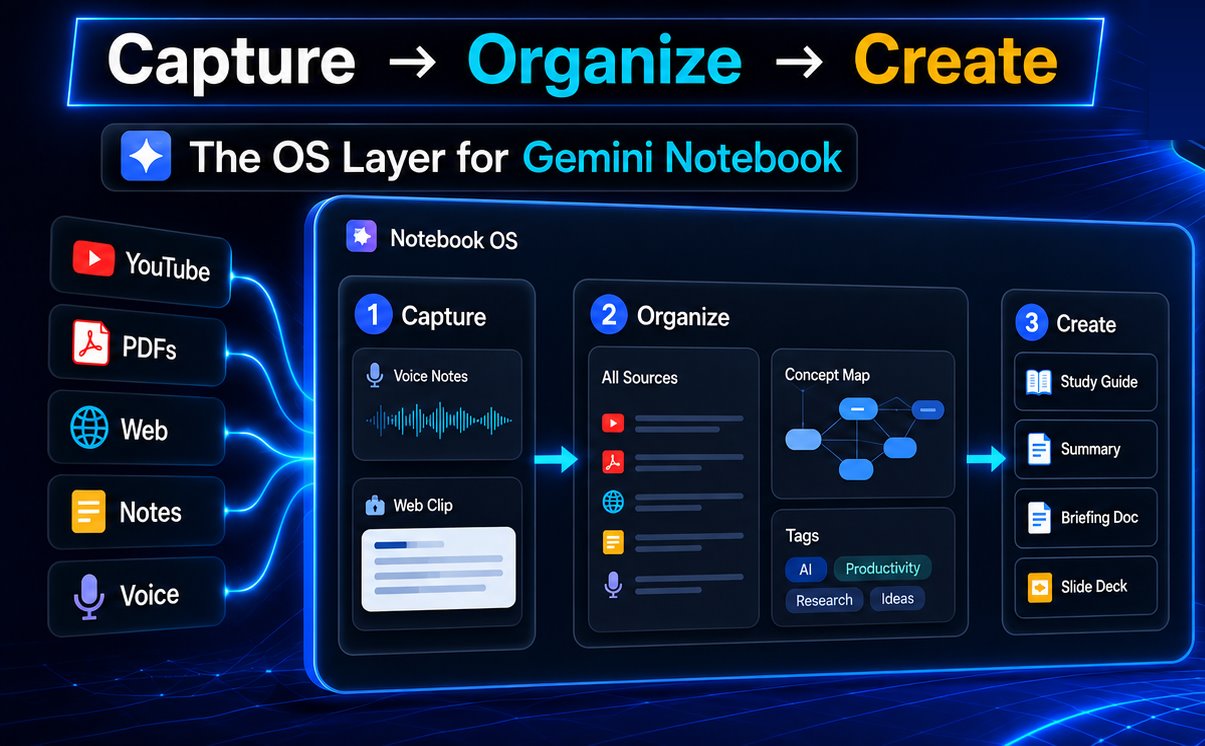
Walkthrough: all features of Notebook OS - watch the full tour
We power your outputs.
Other Gemini Notebook extensions focus on what goes in — organizing notebooks, importing sources, managing tags. Notebook OS focuses on what comes out — turning conversations into polished artifacts, capturing ideas the moment they happen, and finding research without ever leaving your flow.
See all features →| Capability | Other extensions | Notebook OS |
|---|---|---|
| Library organization | ✓ | ✓ |
| Bulk source import | ✓ | ✓ |
| Studio Recipes (artifact workflows) | — | ✓ |
| Skills (reusable workflow instructions) | — | ✓ |
| Capture Spoken Thoughts → source | — | ✓ |
| In-panel Academic Search | — | ✓ |
| Web Snip → save images as source | — | ✓ |
| AI Conversation Save → source | — | ✓ |
| Premium Deck View (watermark-free presenter) | — | ✓ |
| Artifact Shelf (cross-notebook pinboard) | — | ✓ |
| Side panel on any page | — | ✓ |
Gemini Notebook was waiting for.
Save how you work as a reusable instruction, then apply it to a notebook. Because a Skill becomes a source, Gemini Notebook keeps following it — through follow-up questions, tomorrow's session, and every artifact you generate. 15 built in, or write your own.
Pick an artifact type. Notebook OS reads your chat, writes a customized prompt around your actual notebook sources, and triggers Gemini Notebook's artifact generator — fully automatically. Audio, Report, Slides, Mind Map, Flashcards, Quiz, and more.
Capture spoken thoughts from the side panel — on any page, anytime. The audio file uploads straight to Gemini Notebook as a source. No transcription step, no external app. The fastest path from spoken thought to notebook.
Search peer-reviewed research without opening a new tab. Find papers, preview abstracts, check citations — then add directly to your active notebook. The research step that used to interrupt your workflow, removed.
Premium Deck View.
Present Gemini Notebook slides like Gamma.
Gemini Notebook makes the slides. Notebook OS makes them presentable — a full-screen, distraction-free presenter that runs straight from your notebook, with the watermark quietly removed.
The “Gemini Notebook” corner mark is hidden on the presenter stage — clean enough to screen-share, record, or project. (Pro)
Dark theater, centered slide, hover chevrons, auto-hiding HUD with a slide counter and progress bar.
Hit P to present, then drive with ← → Space F Esc.
actually work.
Each one is a small chain of Notebook OS features working together — from source to finished artifact.
I review 20+ papers a week. Academic Search alone saves me an hour of tab-switching every day. The Flashcard Recipe is how I actually retain what I read.

Capture Spoken Thoughts is criminally underrated. I commute 40 minutes each way. By the time I open Gemini Notebook, my thoughts are already in my notebook as a source.

Studio Recipes builds the deck, Premium Deck View presents it. I went from notebook to a clean, watermark-free pitch on the projector without ever exporting to PowerPoint.

Your Gemini Notebook is waiting
for its operating system.
Install Notebook OS and unlock Studio Recipes, Capture Spoken Thoughts, and Academic Search in under 60 seconds.